QVT Setup (Eclipse)
This guide is for setting up the QVT transformation engine in Eclipse. It is not required to run the MiSAR parser or generate PSM files, but it is necessary for transforming PSM to PIM.
The QVT transformation engine is used to transform the generated PSM into a PIM, which is the recovered architectural model of the microservice system.
If you don't see the QVT Settings in the project properties, it means that the QVT Operational component is not installed in your Eclipse environment. Please follow the manual installation steps described in this guide to install it QVT Manual installation.
Install Eclipse and the Required Modelling Components
You can use either:
- Eclipse Modeling Tools, which includes more modelling functionality by default; or
- Eclipse IDE for Java Developers, which is usually a lighter installation.
Download an Eclipse package from:
https://www.eclipse.org/downloads/packages/
When using Eclipse IDE for Java Developers, install the required QVTo and EMF tooling through:
Help → Install New Software...
For EMF SDK, use the Eclipse 2026-06 release repository:
https://download.eclipse.org/releases/2026-06
If Run As → QVT Operational Transformation is missing, install QVTo using the QVT Manual Installation Guide.
If Open With → Sample Reflective Ecore Model Editor is missing, install the EMF SDK using the same guide.
Import Project
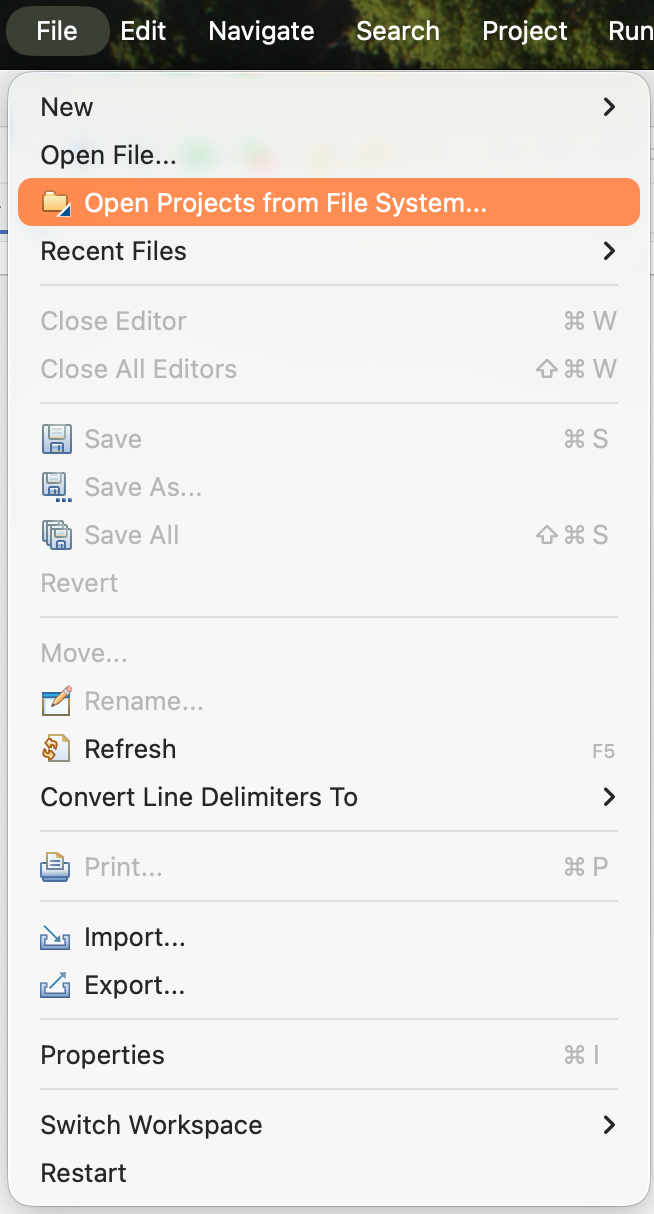
File → Open Projects from File System
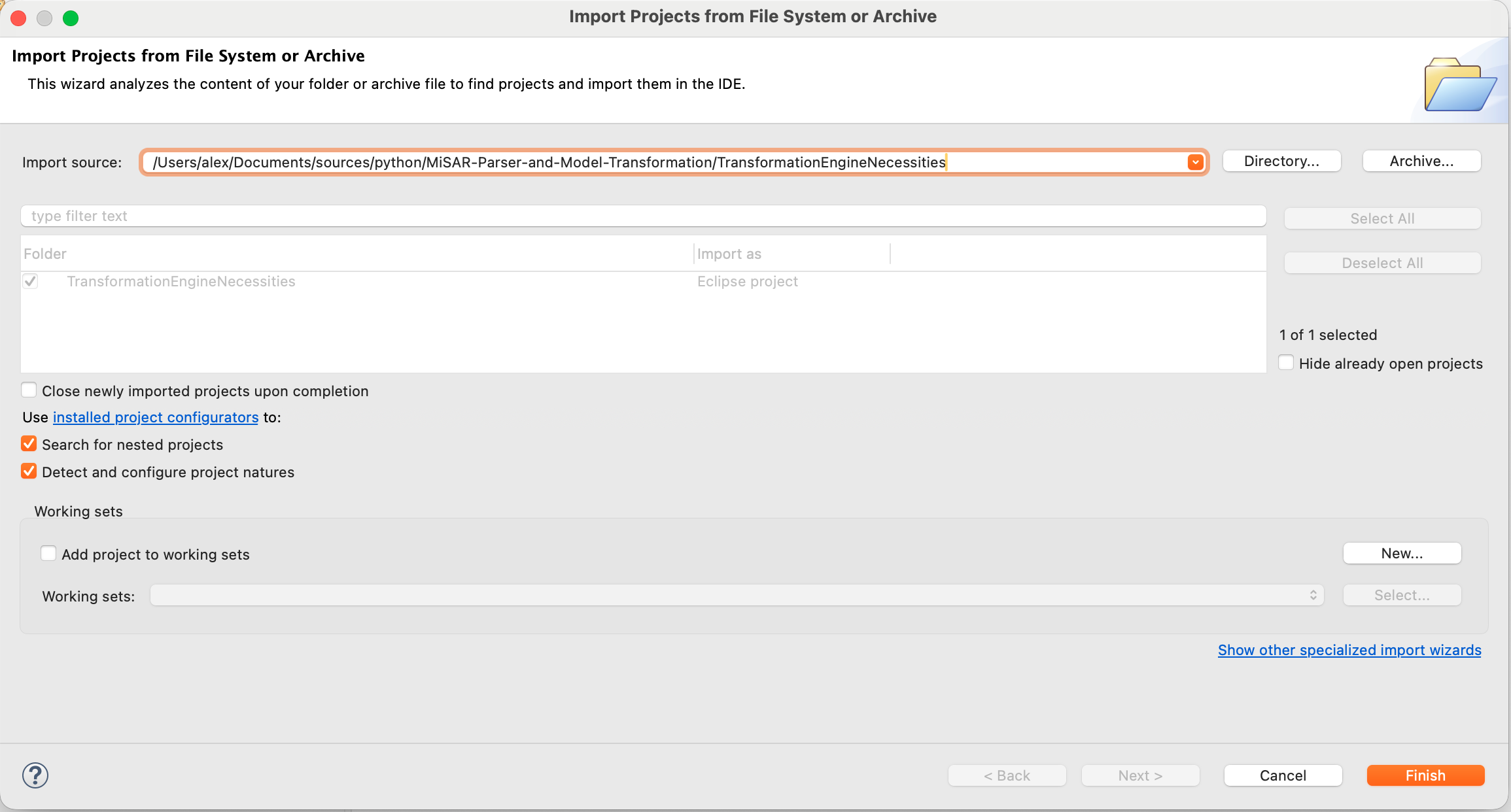
Select the TransformationEngineNecessities folder located in the MiSAR project directory:
MiSAR-Parser-and-Model-Transformation/TransformationEngineNecessities/
Configure Metamodels
In case you cannot find the QVT Settings in the project properties, make sure you have installed the QVT Operational component as described in the manual installation guide.
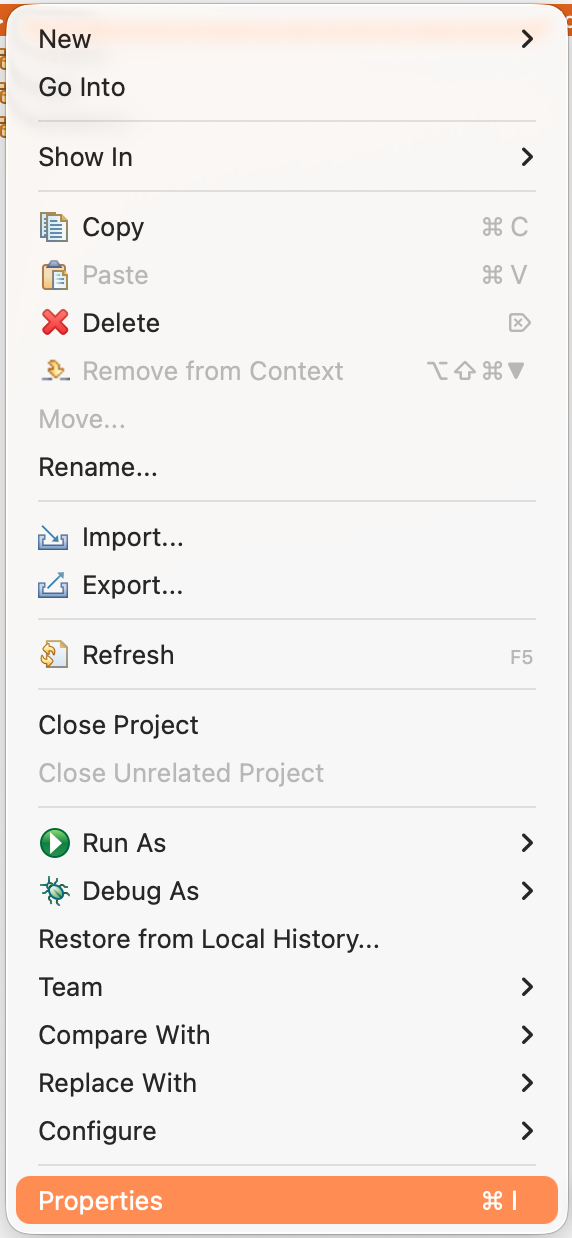
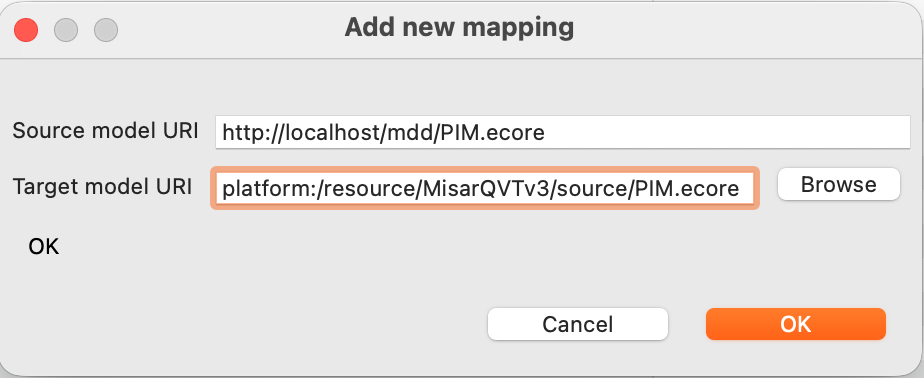
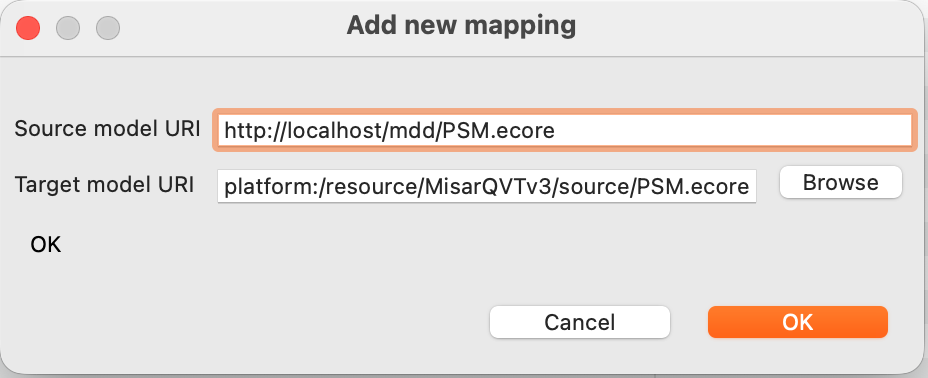
Go to: Project → Properties → QVT Settings → Metamodel Mappings
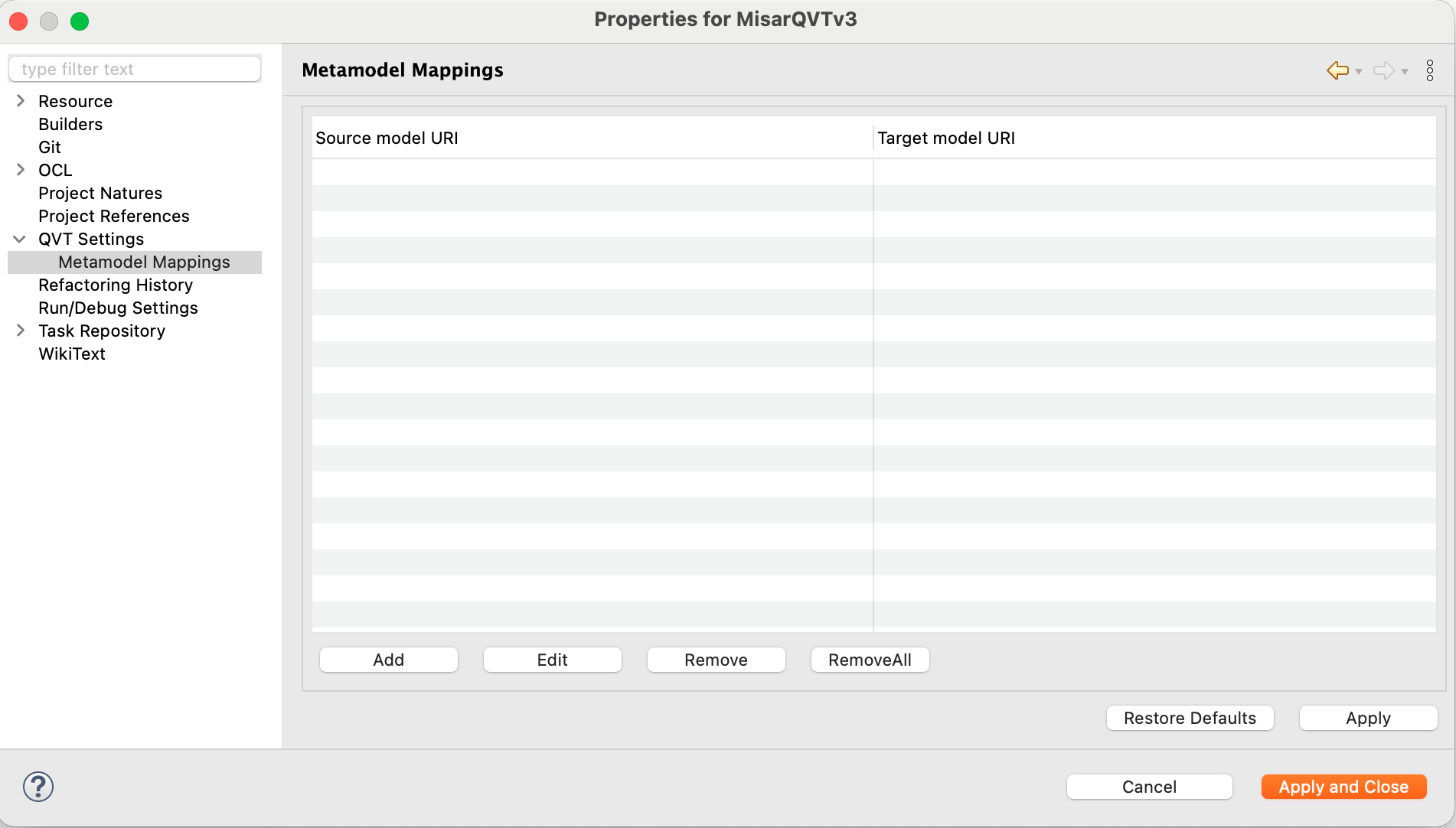
Add:
PIM
| Source | Target |
|---|---|
| http://localhost/mdd/PIM.ecore | platform:/resource/.../PIM.ecore |
PSM
| Source | Target |
|---|---|
| http://localhost/mdd/PSM.ecore | platform:/resource/.../PSM.ecore |
Notes
-
In some Eclipse installations, QVTo may already be included.
-
If QVT Operational is not available in your Eclipse environment, follow the QVT Manual Installation Guide.
- If the Sample Reflective Ecore Model Editor is unavailable, install the EMF SDK from the Eclipse 2026-06 update site described in the manual installation guide.
Next Steps
If the Setup completes successfully, you can now run the QVT transformations to create the PIM from the generated PSM. Create PIM Guide